
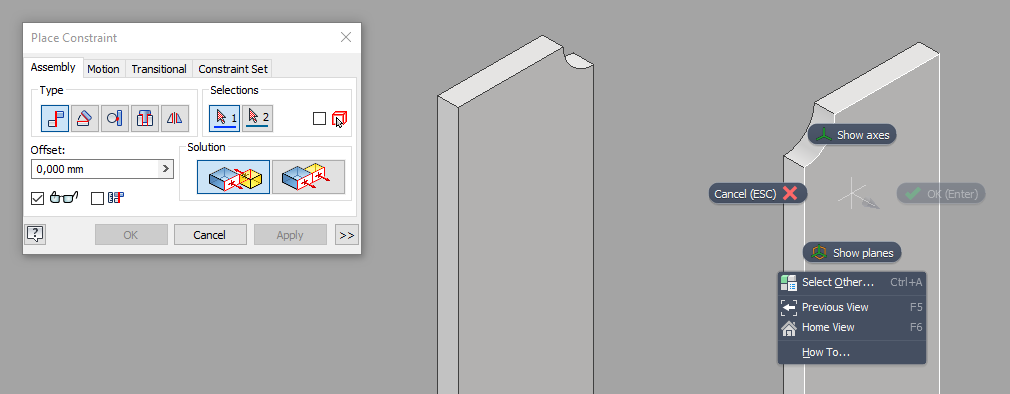
Constrain Plane Toggle extends Autodesk Inventor's assembly constraint workflow with temporary visibility controls for origin work geometry. Instead of stopping to browse the model tree and manually turn work features on and off, you can reveal them directly while placing a constraint. When a supported constraint command is active, right-clicking an occurrence adds Show Planes and Show Axes to the context menu. These actions expose the selected occurrence's origin planes or origin axes so you can pick the exact reference you need during placement or editing. Once the command finishes, the add-in restores the original visibility state automatically. That keeps the assembly clean after the task is done and avoids leaving helper geometry turned on across the whole model.
