
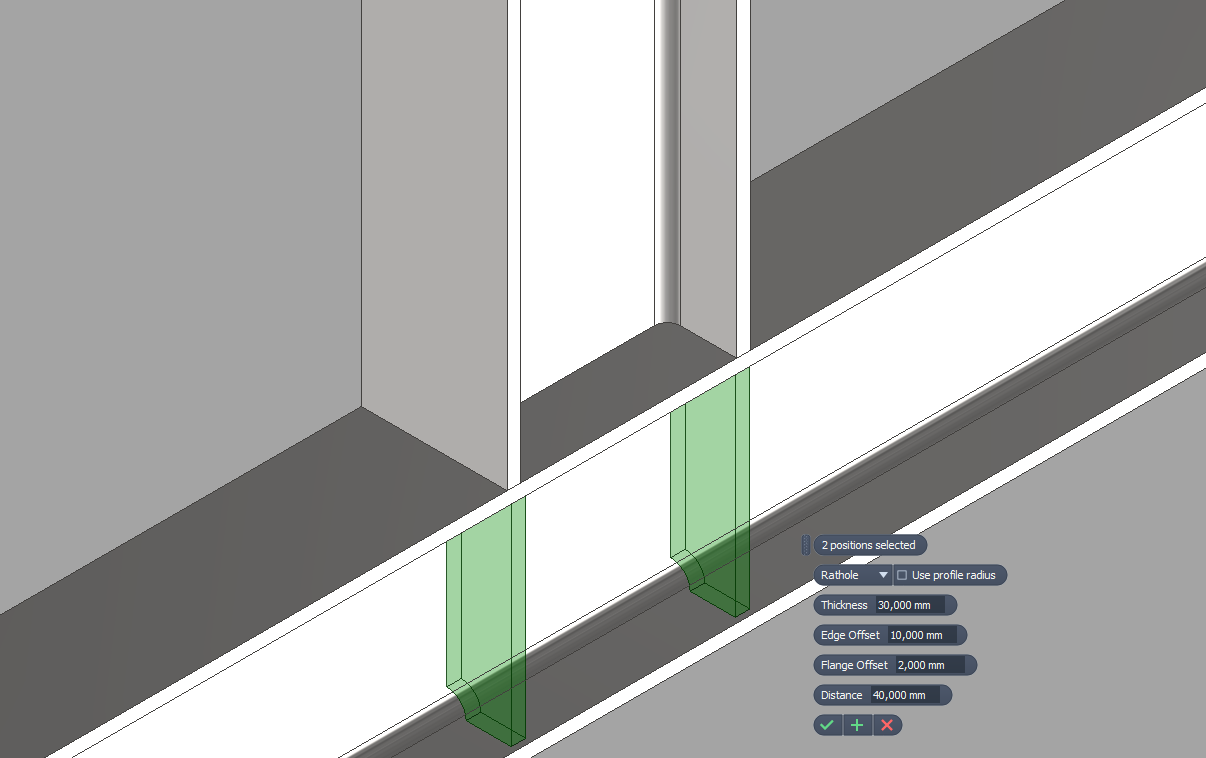
Frame Stiffener adds a dedicated assembly workflow for placing stiffener plates on Frame Generator members in Autodesk Inventor. It is designed for I-beams and channels and supports both parallel and sloped flange profiles, so stiffeners can be added without building each plate manually. The main Add Stiffeners command opens an interactive placement workflow with live preview graphics and a mini toolbar. You can click one or more positions on one or more beam occurrences, switch between Chamfered, Filleted, and Rathole stiffener modes, and adjust thickness, edge offset, flange offset, feature distance, and the Use profile radius option before creating the parts. Frame Stiffener also includes faster follow-up workflows for production use. Quick Place inserts single or double stiffeners with the last saved settings, existing stiffeners can be edited in place, matching stiffener parts are reused instead of duplicated, and beam edits from Frame Generator can trigger manual or automatic stiffener updates depending on your settings.
