
A suite of three ShipConstructor add-ins built for Vuyk Engineering, each targeting a specific pain point in their ship design workflow. ShipConstructor is a vertical on top of AutoCAD used for marine and offshore structural design — the three tools automate repetitive modeling tasks and bring consistency to outputs that were previously done by hand.
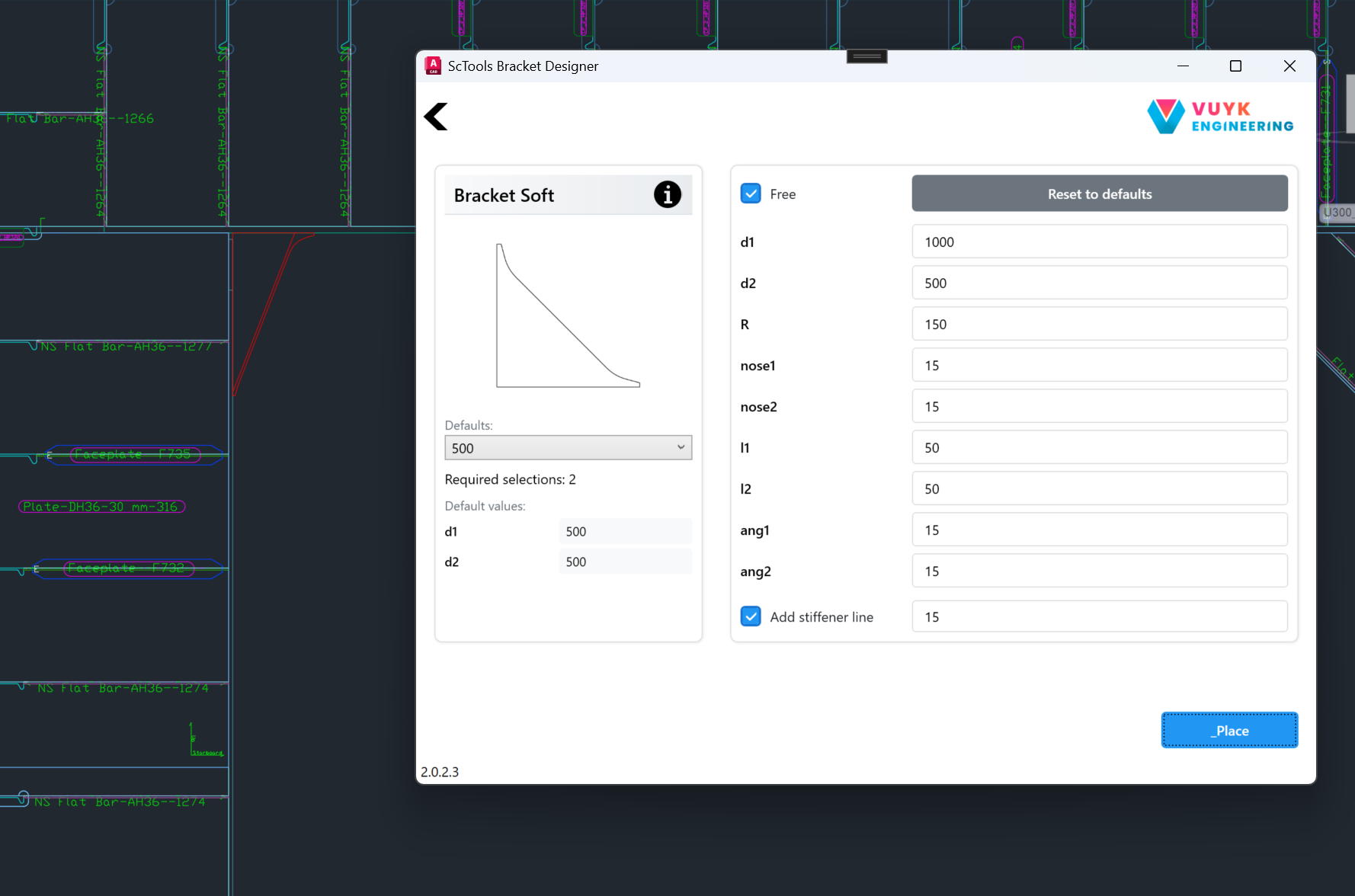
The Bracket Designer replaces a fiddly multi-step modeling task with a single dialog. The user picks a bracket type from a visual gallery, dials in the dimensions, and places the bracket between two structural members in a couple of clicks. All standard Vuyk bracket variants are supported, including soft brackets with curved cutouts, trapezoidal brackets, and stiffener-line variants.
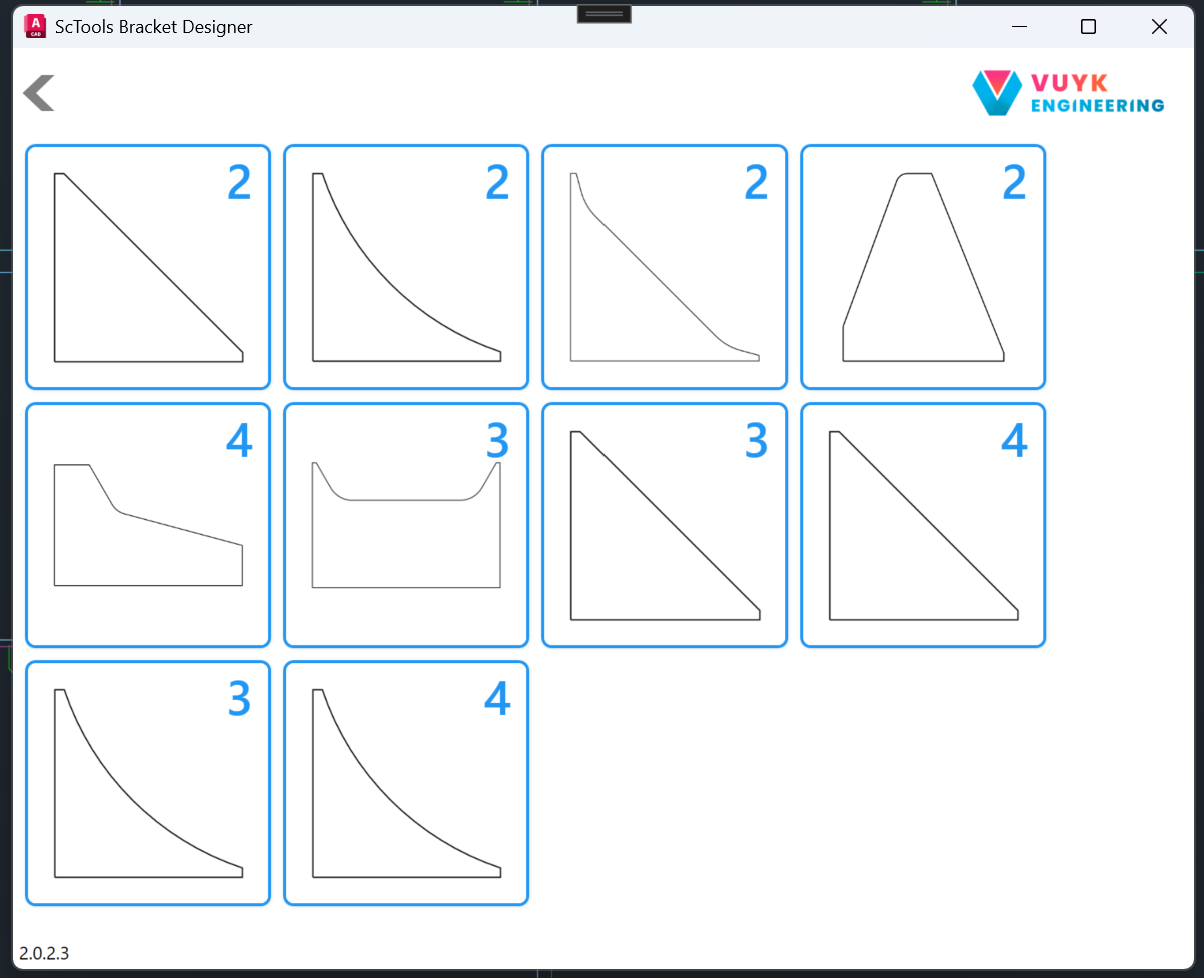
Type picker — every Vuyk bracket variant in one screen.
Once a type is chosen, the parameter panel opens with sensible defaults pulled from a per-type defaults table. Users can either pick a default size from the dropdown or unlock the "Free" checkbox to fine-tune every dimension individually. A live preview drawing on the left updates as the values change, so the engineer can see exactly what they are about to place.
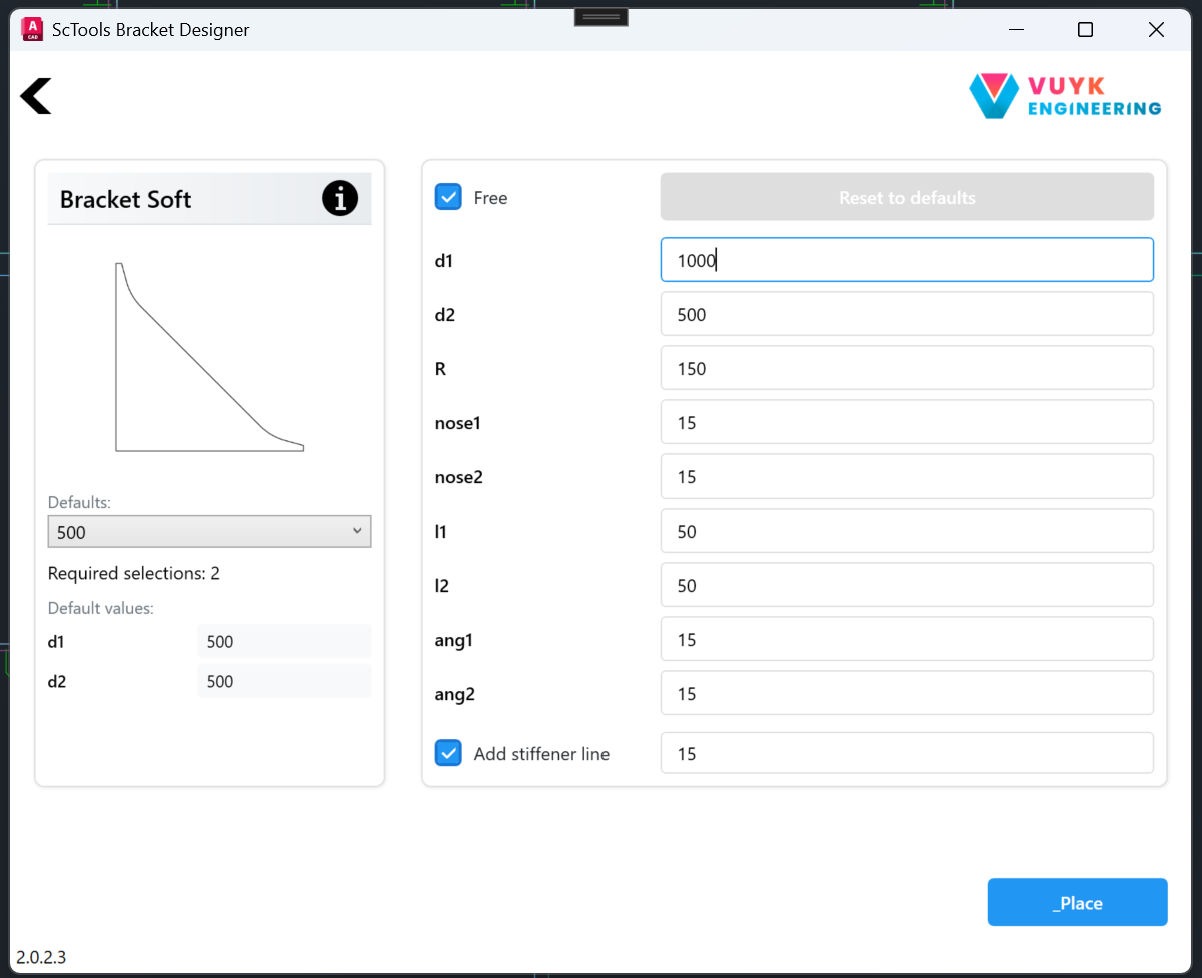
Parameter panel with live preview, defaults dropdown, and free-edit mode.
Placement is a two-click operation: pick the two members the bracket should sit between, and the add-in handles the geometry, trim, and ShipConstructor metadata. The result is a fully-fledged ShipConstructor bracket ready for downstream production output — no manual cleanup required.
Bracket Designer in action — type pick to placed geometry.
The Hole Designer streamlines the creation of cutouts and penetrations through structural members. The same parameter-driven approach as the Bracket Designer means hole patterns are consistent across the project and across users.
The Webframe Tool speeds up modeling of webframe assemblies — a structural pattern that, on a typical Vuyk project, is repeated dozens of times. Automating it removes a meaningful chunk of manual modeling time per ship.
