
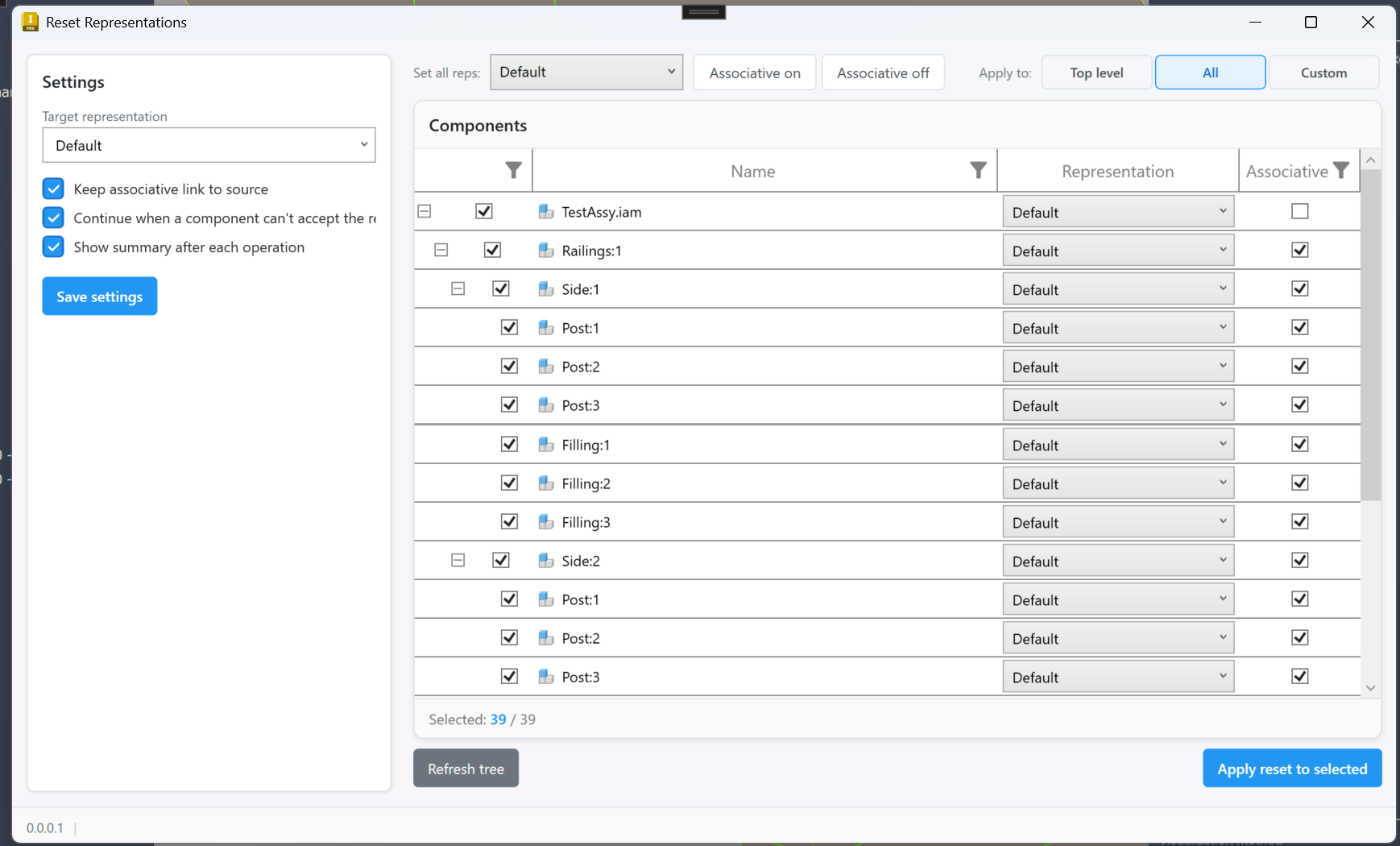
Reset Representations is a free Autodesk Inventor add-in for cleaning up Design View Representations across an assembly. Instead of opening every sub-component and switching its representation by hand, you get five ribbon commands and a dedicated tree-grid window that resets exactly the components you choose. The four one-click commands cover the common cases: reset the entire active assembly recursively, reset only the top-level children, reset the components you have selected in the browser or graphics window, or reset that selection plus everything underneath it. All four read from a shared settings file so you can configure the target representation, associative behavior, and error handling once and reuse them across every command. When the simple commands aren't enough, the Reset… command opens a modeless window with a settings sidebar on the left and a full component tree on the right. Each row has its own representation dropdown and associative checkbox so you can mix targets across the assembly, and the Apply-to selector lets you scope a run to top-level only, every component, or just the rows you have ticked. A right-click menu speeds up bulk operations on whole branches.
