
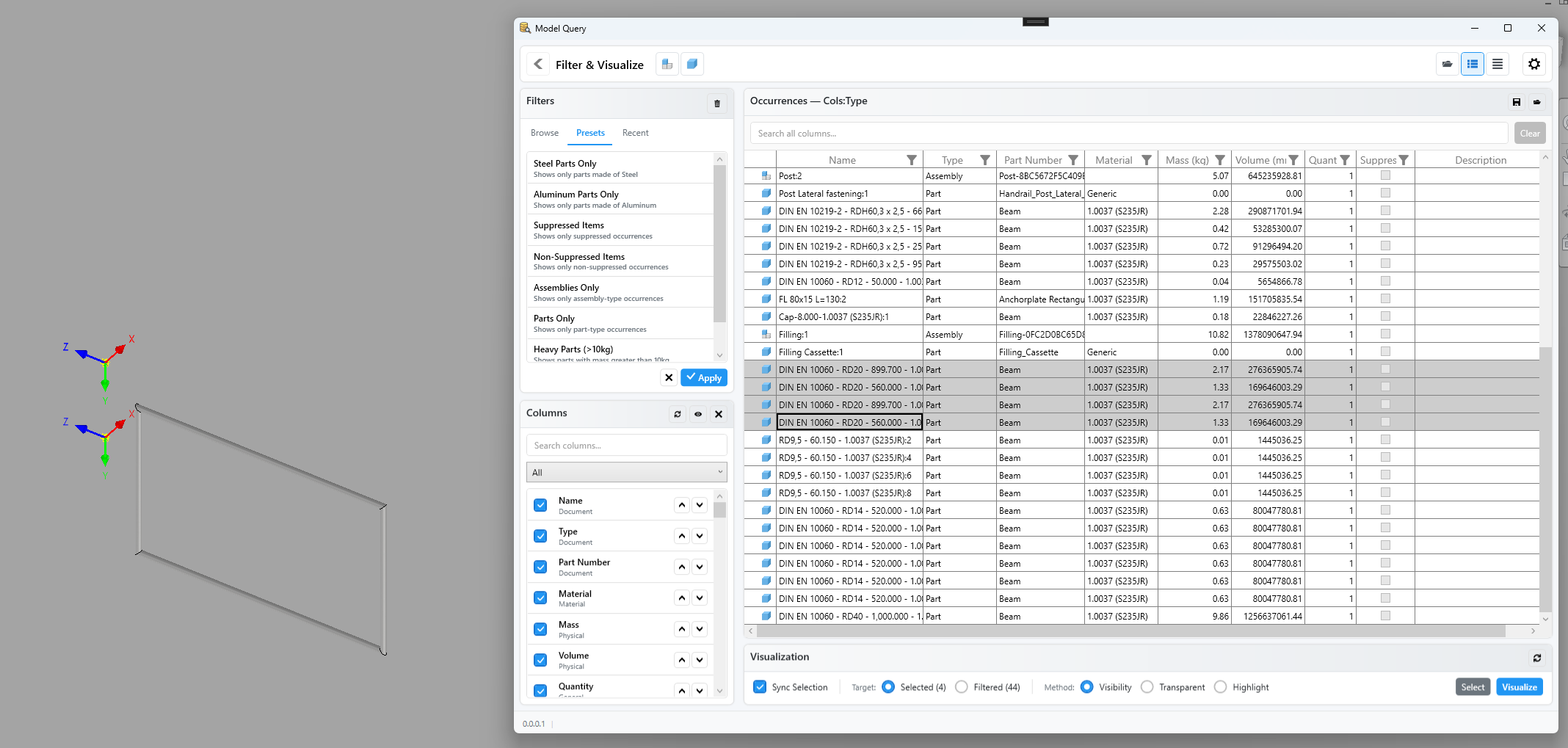
Model Query adds an assembly-wide search and visualisation workflow to Autodesk Inventor. Instead of stepping through the browser to find every Steel part, every suppressed component, or every part heavier than a given threshold, you configure column predicates and sorts directly in a grid, save the result, and reapply it from a docked pane or a full Filter & Visualise window. The full Filter & Visualise window pairs a filter sidebar with a configurable occurrences grid and a visualisation strip. Switch the grid between Structured (assembly hierarchy), Flat (every occurrence), and Referenced Documents (one row per unique referenced .iam or .ipt) — and restrict it to assemblies, parts, or both. Build a filter ad-hoc by sorting and predicating columns, save it as a JSON file under your default filter location, and reapply it from the Browse or Recent tabs. The Quick Filter dock is a slim companion that lives in Inventor's docking system. It exposes the same saved-filter list and the three visualisation methods, so a saved query can be applied to the active assembly without leaving the model view. Visualisation has three methods — Visibility hides non-matching components, Transparent fades them with configurable matching / non-matching fills and an edge outline so the surrounding model stays visible for context, and Highlight adds matches to an Inventor highlight set without altering visibility. The strip targets either the rows currently selected in the grid or the entire filtered set; Reset restores the model.
