

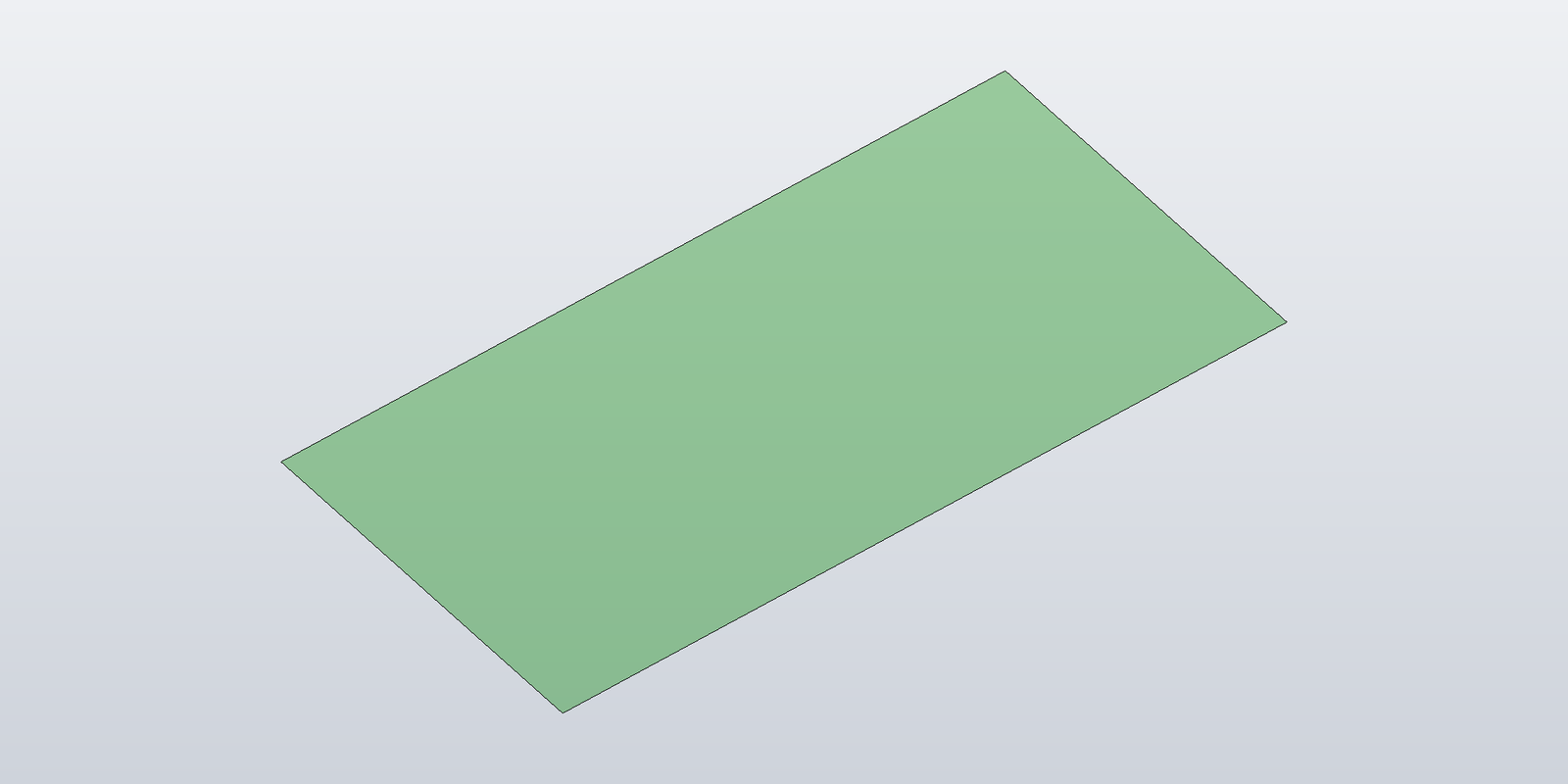
The sheet from the previous post, and every beam later in the series, is a SurfaceBody in memory. Nothing shows until it is added to client graphics. The rest of the series keeps building bodies; this post sets up the graphics side once, so that each post's sample can be run and looked at. Two Inventor collections are involved:
ClientGraphicsholdsGraphicsNodes, and a node holds the graphics primitives:SurfaceGraphicsfor a body,CurveGraphicsfor a curve, and thePointGraphics/LineGraphics/TriangleGraphics/ text variants. AClientGraphicsis created under a client id on a component definition —PartComponentDefinition.ClientGraphicsCollection.Add(id)orAddNonTransacting(id), likewise on the assembly component definition — or handed out by anInteractionGraphicswhile a command is running.GraphicsDataSetsholds the coordinate, colour, normal and index sets that point, line and triangle graphics reference. Same shape:Document.GraphicsDataSetsCollection.Add(id)/AddNonTransacting(id), orInteractionGraphics.GraphicsDataSets.SurfaceGraphicsandCurveGraphicstake their geometry directly and don't use it, but a graphics class that only ever draws bodies is the exception, so the base class owns both.
The class that owns them
Everything later in the series draws through a class derived from this one:
using System.Runtime.InteropServices;
using Inventor;

public abstract class BaseGraphics
{
    protected readonly Inventor.Application app;
    protected readonly Document? document;
    protected readonly ClientGraphics clientGraphics;
    protected readonly GraphicsDataSets graphicsData;

    // The nodes this object created, in creation order.
    public List<GraphicsNode> Nodes { get; } = new();

    public ClientGraphics ClientGraphics => clientGraphics;
    public GraphicsDataSets GraphicsData => graphicsData;

    // Draws into a document: a non-transacting ClientGraphics on its component definition and
    // a GraphicsDataSets collection on the document, both under `clientId`. A collection that
    // already exists under that id (the same code ran earlier) is deleted first, so
    // constructing this object is also how a previous run's graphics are replaced.
    protected BaseGraphics(Inventor.Application app, Document document, string clientId)
    {
        this.app = app;
        this.document = document;
        var compDef = ComponentDefinitionOf(document);

        TryDelete(() => compDef.ClientGraphicsCollection[clientId].Delete());
        clientGraphics = compDef.ClientGraphicsCollection.AddNonTransacting(clientId);

        TryDelete(() => document.GraphicsDataSetsCollection[clientId].Delete());
        graphicsData = document.GraphicsDataSetsCollection.AddNonTransacting(clientId);
    }

    // Draws during a command: the InteractionGraphics owns both collections, and they go
    // away with the interaction session.
    protected BaseGraphics(Inventor.Application app, InteractionGraphics interactionGraphics, InteractionGraphicsMode mode)
    {
        this.app = app;
        graphicsData   = interactionGraphics.GraphicsDataSets;
        clientGraphics = mode == InteractionGraphicsMode.Overlay
            ? interactionGraphics.OverlayClientGraphics
            : interactionGraphics.PreviewClientGraphics;
    }

    // A new node with an id above every id already in the collection.
    protected GraphicsNode CreateNewGraphicsNode()
    {
        int nodeId = 1;
        foreach (GraphicsNode existing in clientGraphics)
            if (existing.Id >= nodeId) nodeId = existing.Id + 1;

        var node = clientGraphics.AddNode(nodeId);
        Nodes.Add(node);
        return node;
    }

    // The view to draw in. Application.ActiveView is null when Inventor's window has no
    // active view (a document is active, but the application window is not); the document's
    // own first view is there regardless.
    public Inventor.View? View =>
        app.ActiveView ?? (document != null && document.Views.Count > 0 ? document.Views[1] : null);

    // Flush to the viewport. Graphics changes are otherwise shown at the next redraw.
    public void Update() => View?.Update();

    // Delete the graphics, and with `deleteData` the data sets too.
    public void Delete(bool deleteData = true)
    {
        if (deleteData) TryDelete(() => graphicsData.Delete());
        TryDelete(() => clientGraphics.Delete());
        Nodes.Clear();
        Update();
    }

    private static ComponentDefinition ComponentDefinitionOf(Document document) => document switch
    {
        PartDocument part         => (ComponentDefinition)part.ComponentDefinition,
        AssemblyDocument assembly => (ComponentDefinition)assembly.ComponentDefinition,
        _ => throw new ArgumentException($"{document.DisplayName} is not a part or assembly document."),
    };

    // Indexing a collection by an id it does not contain, and deleting a collection whose host
    // is already gone, both throw. Either way there is nothing to delete.
    private static void TryDelete(Action delete)
    {
        try { delete(); }
        catch (COMException) { }
        catch (ArgumentException) { }
    }
}

public enum InteractionGraphicsMode
{
    Preview,   // depth-tested against the model
    Overlay,   // drawn on top of everything
}
Four things this class settles once, for the whole series:
The collections are replaced, not appended to. ClientGraphicsCollection[id] throws when nothing is registered under id, hence the TryDelete. Deleting whatever is under the id and adding a fresh collection means that running the same code twice against the same document — the normal state of affairs while developing — replaces the previous drawing instead of stacking a second copy on top of it.
Node ids are chosen by the caller and have to be unique. AddNode(id) with an id that is already in use does not throw and does not replace the existing node; it adds a second node with the same id, and ItemById is ambiguous from then on. CreateNewGraphicsNode scans the collection and takes max + 1.
Non-transacting. On a collection created with Add, every call is a transaction: Add Client Graphics, Add Graphics Node, Set Graphics Node ID, Add Surface Graphics to Graphics Node, Add Graphics Data Sets Object each show up in TransactionManager.CommittedTransactions — the undo list — and UndoTransaction() takes them back out. A collection created with AddNonTransacting adds nothing to that list, not on creation, not per node, not on delete. Neither variant marks the document modified: Document.Dirty stayed false for both on a saved part, and on an open, unmodified assembly the demo below was first run into. Add is for graphics that should undo together with the operation that created them; a preview wants AddNonTransacting.
View.Update() flushes. Without it, additions and deletions show at the next redraw — a camera move, a resize. The obvious view is Application.ActiveView, but that is null whenever Inventor's application window is not active — with Inventor minimised, ActiveDocument was still set and Application.Views still listed two views, and ActiveView was null. The document's own Views[1] is there regardless, so View falls back to it. That also serves a document that is open but not the active one.
ComponentDefinitionOf is there because PartDocument.ComponentDefinition and AssemblyDocument.ComponentDefinition are typed as their specific definitions, and the interop interfaces don't derive from ComponentDefinition — the cast is explicit.
The first concrete graphics class shows bodies, one node per body:
public sealed class BodyGraphics : BaseGraphics
{
    public BodyGraphics(Inventor.Application app, Document document, string clientId)
        : base(app, document, clientId) { }

    public BodyGraphics(Inventor.Application app, InteractionGraphics interactionGraphics, InteractionGraphicsMode mode)
        : base(app, interactionGraphics, mode) { }

    public GraphicsNode AddBody(SurfaceBody body, Color? color = null)
    {
        var node = CreateNewGraphicsNode();
        node.Selectable = true;

        var surface = node.AddSurfaceGraphics(body);
        surface.Color = color ?? app.TransientObjects.CreateColor(0, 135, 0, 0.35);
        return node;
    }
}
CreateColor(red, green, blue, opacity) — the fourth argument is opacity in 0–1. What else SurfaceGraphics offers (edge colouring, per-edge curves, node transforms) is the subject of the rendering post.
Running it from a console application
The sample repository's TransientGraphics.Demo is a console application that attaches to the running Inventor from outside its process and draws into the active document. Inventor registers itself in the Running Object Table under the ProgID Inventor.Application; Marshal.GetActiveObject looked that up on .NET Framework, and is not available on .NET 8, so the lookup is two P/Invokes:
using System.Runtime.InteropServices;

public static class InventorConnection
{
    [DllImport("ole32.dll")]
    private static extern int CLSIDFromProgID([MarshalAs(UnmanagedType.LPWStr)] string progId, out Guid clsid);

    [DllImport("oleaut32.dll")]
    private static extern int GetActiveObject(ref Guid clsid, IntPtr reserved, [MarshalAs(UnmanagedType.IUnknown)] out object obj);

    public static Inventor.Application GetRunning()
    {
        Marshal.ThrowExceptionForHR(CLSIDFromProgID("Inventor.Application", out var clsid));

        if (GetActiveObject(ref clsid, IntPtr.Zero, out var obj) != 0)
            throw new InvalidOperationException("No running Inventor session found. Start Inventor first.");

        return (Inventor.Application)obj;
    }
}
The project references Autodesk.Inventor.Interop.dll from the Inventor installation with Private=true, so the interop assembly is copied next to the executable — outside Inventor's process there is nothing else that would load it. With two Inventor versions running at once, the lookup returns one of them (a 2025 interop assembly attached to a 2026 session without complaint), so the program prints the version and the document it is drawing in. With the connection in place, the three one-shot primitives from the first post:
var app = InventorConnection.GetRunning();
var doc = app.ActiveDocument
       ?? app.Documents.Add(DocumentTypeEnum.kPartDocumentObject, "", true);

var graphics = new BodyGraphics(app, doc, "TransientGraphics.Demo");

var tg = app.TransientGeometry;
var tb = app.TransientBRep;
var cylinder = tb.CreateSolidCylinderCone(tg.CreatePoint(0, 0, 0), tg.CreatePoint(0, 0, 20), 3, 3, 3);
var sphere   = tb.CreateSolidSphere(tg.CreatePoint(12, 0, 4), 4);
var box      = tg.CreateBox();
box.MinPoint = tg.CreatePoint(20, -3, 0);
box.MaxPoint = tg.CreatePoint(28, 3, 12);

graphics.AddBody(cylinder);
graphics.AddBody(sphere);
graphics.AddBody(tb.CreateSolidBlock(box));
graphics.Update();
dotnet run --project src/TransientGraphics.Demo -- 3
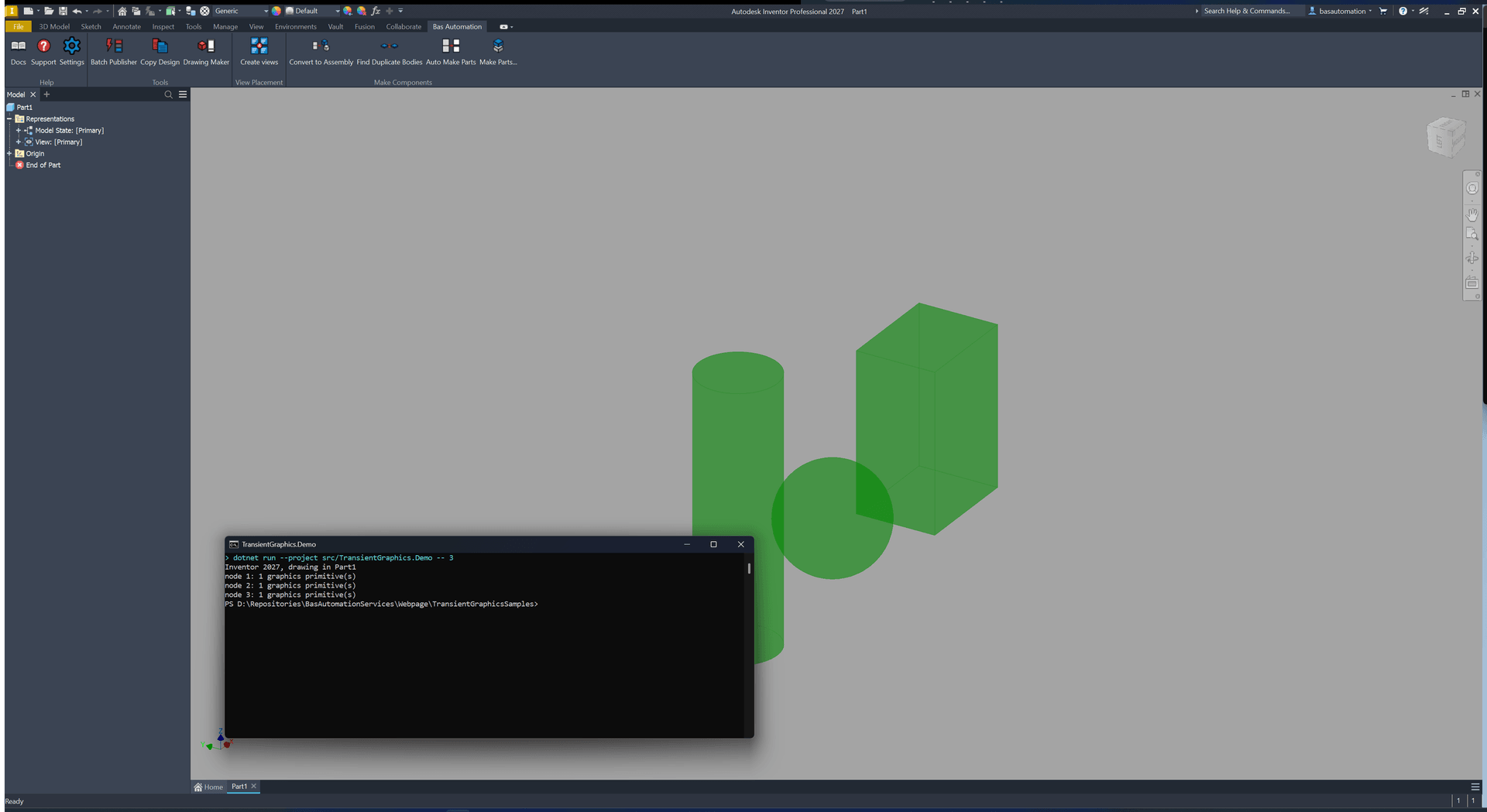
The argument is the post number: -- 2 draws the previous post's sheet, and each later post adds its own case to the same program; clear removes the drawing again. One thing the program does that the snippet above doesn't: View.Fit() ignores client graphics, so in an otherwise empty part the camera stays where it was and the drawing may be off screen. The program frames the camera itself from the primitives' RangeBoxes; the rendering post covers that.
The code in this post — BaseGraphics, BodyGraphics, InventorConnection and the demo program — is in the sample repository at github.com/Basnederveen/TransientGraphicsSamples (Post03_BaseGraphics.cs, src/TransientGraphics.Demo/).
Next post: cap faces for a beam, where the rectangular sheet becomes a structural profile — including profiles with arcs and profiles with inner contours.