

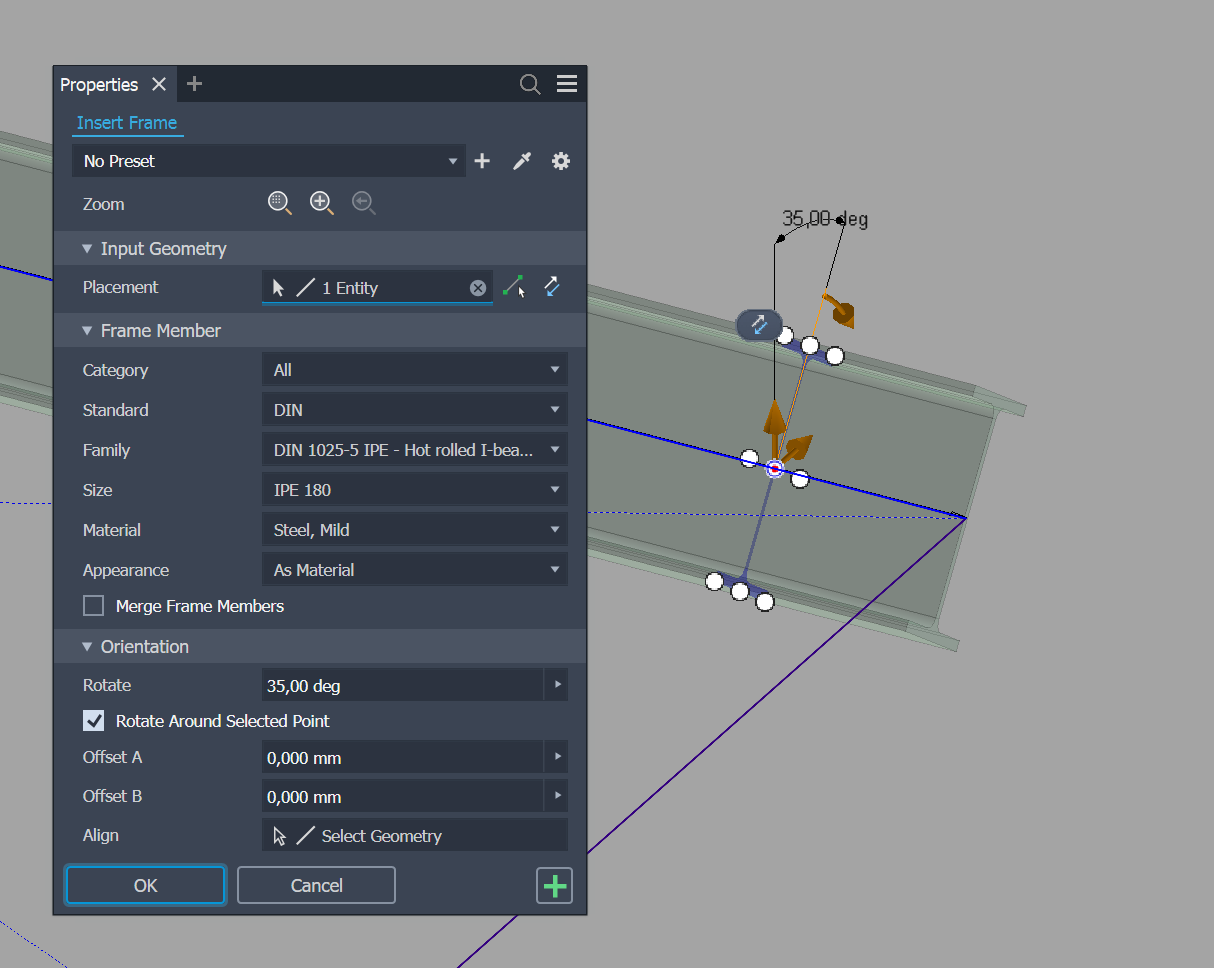
Frame Generator has no public API for reading frame members. The data is there — in attribute sets, XML payloads, and a handful of command and transaction names — but you have to find the layout by inspection: opening Frame Generator files, stepping through the API in the immediate window, and comparing what shows up where. This post is the layout I've found. It's held steady from Inventor 2021 through 2027 in my own files, but it isn't a contract.
This is the first of three posts. This part is about reading Frame Generator's data — the attribute set, the XML inside it, and the occurrence-proxy details needed to get at it. Later parts cover tracking edits via events and what happens when a user changes a beam profile and the old occurrence is replaced.
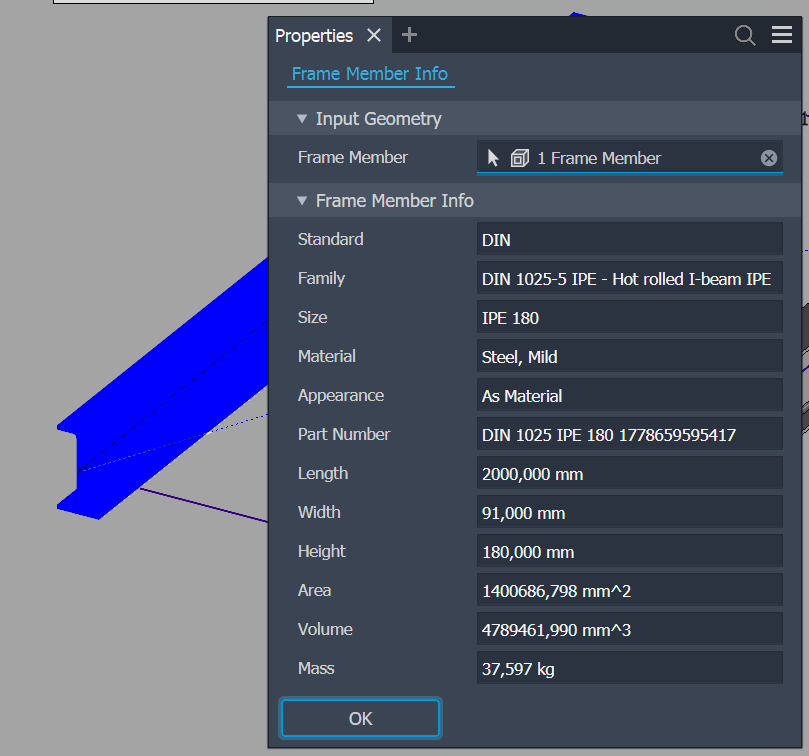
The dialog above is what Inventor surfaces about a frame member: a dozen fields, all read-only. The underlying attribute set carries far more — every property Frame Generator uses to reconstruct the beam, plus an XML payload describing the whole skeleton. That's what this post pries open.
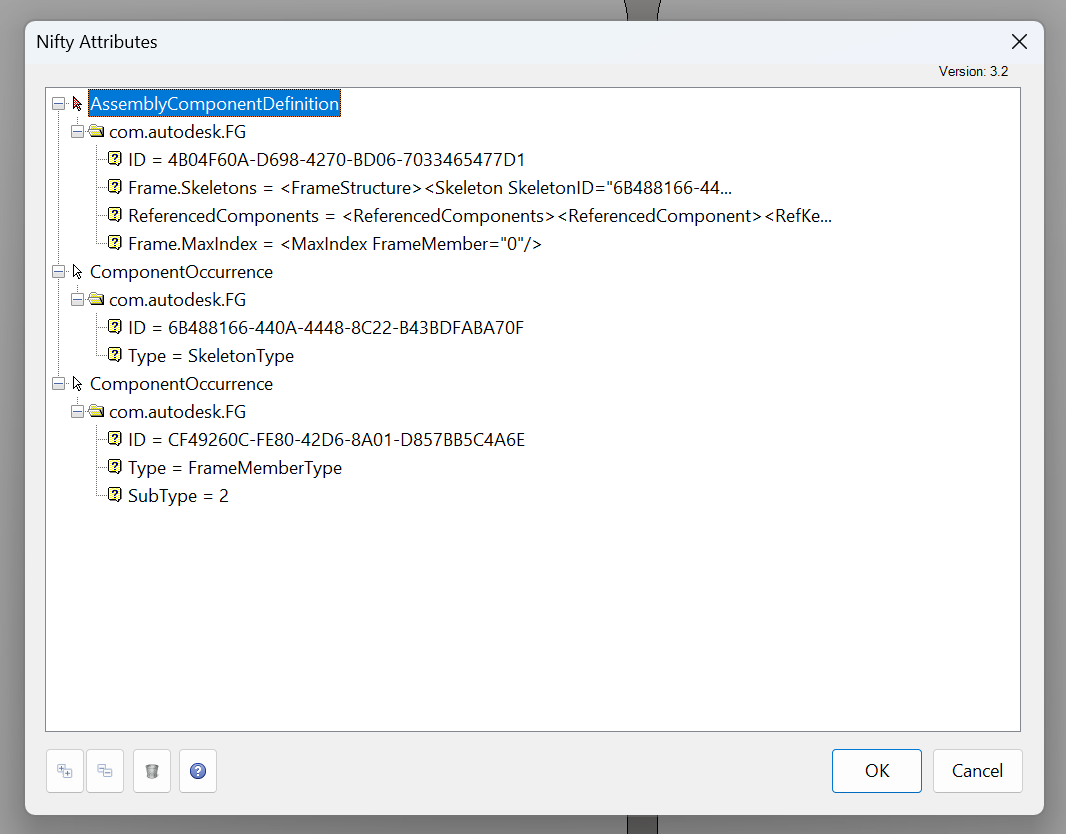
The attribute set is called com.autodesk.FG
const string FGAttributeSetName = "com.autodesk.FG";
It appears in two different places, holding a different key in each:
- On the frame assembly definition, the key
Frame.Skeletonsholds the full XML description of every skeleton path and frame member. - On each frame member occurrence, the key
IDholds a frame-local string ID that maps back into that XML.
So to identify a single beam, you read ID from its own attribute set, then look up the matching path in the Frame.Skeletons XML on the parent frame assembly. Two reads, two different objects.
Only one of the three IDs survives a profile change
A frame member has three identities, and only one of them is stable across the kind of edit users do most often (changing a beam from, say, an HEA200 to an HEA240).
[XmlRoot(ElementName = "FrameMemberDefinition")]
public class FrameMemberDefinition
{
    [XmlAttribute(AttributeName = "Standard")] public string Standard { get; set; }
    [XmlAttribute(AttributeName = "Type")] public string Type { get; set; }
    // ... offsets, angle, flip, insert point, render style, material ...
    [XmlAttribute(AttributeName = "MonikerForCC")] public string MonikerForCC { get; set; }
}
The three IDs:
FrameMemberID— present on the<Path>element inside theFrame.SkeletonsXML, and matched by theIDattribute on the occurrence. Frame-local. Survives most edits within the same frame, but you can't compare it across frames or files.MonikerForCC— the Content Center moniker for the profile. A moniker is Content Center's persistent internal name for a family member; inFrame.Skeletonsit appears as a colon-delimited string starting withStandards:followed by the standard, family, and member identifiers (e.g.Standards:DIN EN 10025-2 - HEA:HEA 200). Resize within a family (HEA200 → HEA240) keeps the family prefix and changes only the suffix; replace the family entirely and the whole string changes. Useful for "is this still the same beam after an edit?"- The occurrence's
ReferenceKey— Inventor's persistent handle to a specific occurrence. AReferenceKeyis an opaque byte array you extract from any modelled object via the document'sReferenceKeyManager, store across sessions, and later resolve back to the live object withReferenceKeyManager.BindKeyToObject. The most fragile of the three. When Frame Generator replaces a beam with a different profile, it tears down the old occurrence and creates a new one. Any reference key you cached against the old one fails to bind. We dive into that in Part 3.
In practice you cache all three. Bind by ReferenceKey first because it's free; when that returns null fall back to the moniker; when that fails go to a wider attribute-manager search. A helper that walks all three looks like this:
// abbreviated
static string GetBeamMoniker(ComponentOccurrence occ)
{
    // Walk up the OccurrencePath looking for the frame assembly that owns the skeleton XML
    AttributeSet skeletonAttbSet = null;
    Inventor.Attribute skeletonAttb = null;
    foreach (ComponentOccurrence p in occ.OccurrencePath)
    {
        try
        {
            skeletonAttbSet = p.Definition.AttributeSets[Constants.FGAttributeSetName];
            skeletonAttb = skeletonAttbSet["Frame.Skeletons"];
            break;
        }
        catch { /* not the frame assembly, keep climbing */ }
    }

    // Pull the frame-local ID from this beam's own attribute set
    var nativeOcc = occ.GetNativeOccurrence();
    var frameMemberAttbSet = nativeOcc.AttributeSets[Constants.FGAttributeSetName];
    var frameId = frameMemberAttbSet["ID"].Value.ToString();

    // Cross-reference into the skeleton XML to get the durable Content Center moniker
    var serializer = new XmlSerializer(typeof(FrameStructure));
    var frameStructure = (FrameStructure)serializer.Deserialize(
        new StringReader(skeletonAttb.Value.ToString()));
    var path = frameStructure.Skeleton.Paths.First(x => x.FrameMemberID == frameId);
    return path.FrameMemberData.FrameMemberDefinition.MonikerForCC;
}
The shape here — "climb the OccurrencePath because the skeleton XML lives on the frame assembly, but the per-member ID lives on the occurrence" — isn't called out in the docs. You can confirm it by deserializing the attributes in the immediate window: the parent assembly carries the full skeleton XML, while the child occurrence carries only the frame-local ID.
One edge case the snippet skips: if the user has the frame assembly open as the active document (not nested inside a higher-level assembly), the OccurrencePath walk turns up nothing — there's no parent to climb to, the beam already lives at the top level. In that case fall back to reading Frame.Skeletons directly from ActiveDocument.ComponentDefinition.AttributeSets.
The XML inside Frame.Skeletons
The Frame.Skeletons attribute is a string of XML that describes every path in every skeleton, with full profile data attached to each path. Sketched as a tree, the structure is:
FrameStructure
└── Skeleton (SkeletonID="...")
    └── Path[] (PathID, FrameMemberID)
        └── FrameMemberData
            ├── FrameMemberDefinition  (Standard, Type, MonikerForCC, offsets, angle, ...)
            └── Orientation
                └── AxisXVector  (X, Y, Z)
A trimmed sample of what one path actually looks like in the payload (IDs elided, one of typically many <Path> siblings):
<FrameStructure>
  <Skeleton SkeletonID="...">
    <Path PathID="..." FrameMemberID="...">
      <FrameMemberData>
        <FrameMemberDefinition
          Standard="DIN EN 10025-2"
          Type="HEA"
          MonikerForCC="Standards:DIN EN 10025-2 - HEA:HEA 200"
          OffsetX="0" OffsetY="0" Angle="0"
          InsertPoint="5"
          IsFlipped="0"
          MaterialInternalName="Steel" />
        <Orientation>
          <AxisXVector X="1" Y="0" Z="0" />
        </Orientation>
      </FrameMemberData>
    </Path>
  </Skeleton>
</FrameStructure>
The full set of POCOs for deserialization lives in FrameGeneratorSkeleton.cs, generated by copying a sample of Frame Generator's XML payload to the clipboard and using Visual Studio's Edit → Paste Special → Paste XML As Classes, then trimmed and renamed by hand. A few of the fields are worth calling out:
-
MonikerForCCis the Content Center moniker — the one you want for "what profile is this, really?". -
InsertPointis which of the nine grid points on the profile aligns to the skeleton line — numpad layout, 1=bottom-left through 9=top-right, 5=center:7 8 9 4 5 6 1 2 3 -
OffsetX/OffsetY/Angleare local to the profile's own coordinate system, not the assembly. -
Orientation.AxisXVectoris the local X-axis of the profile in 3D — useful when you need to figure out which face of an I-beam is "up" without looking at geometry.
Frame Generator also stores end treatments (miters, copes, notches, trim cuts) as EndTreatment elements inside a sibling EndTreatments collection. Their structure is out of scope here, but worth knowing about if you're searching the XML for something specific.
Treat Frame.Skeletons as read-only. Frame Generator rewrites the entire payload on every Frame Generator operation; anything you change directly gets clobbered the next time the user edits a frame member.
Read attributes in the frame assembly's own context
Frame Generator writes its attribute sets into the frame assembly — the .iam file Frame Generator creates and populates, typically named something like Frame xxx.iam. When you're working from a higher-level assembly that contains the frame as a sub-assembly, an event handler or a selection in the top-level model hands you a ComponentOccurrence that's really a ComponentOccurrenceProxy: a contextual view of the underlying occurrence in the frame assembly, projected upward into your top-level model's context. Attribute sets don't follow that projection. They stay on the native occurrence in the frame assembly's own context, so before you can read them you have to land back in that context.
GetNativeOccurrence() is not an Inventor API method — it's a small extension method I keep in a shared library. It wraps the stock ComponentOccurrenceProxy.NativeObject property and guards the cast, so you can call it on any ComponentOccurrence without first checking whether it's a proxy:
public static ComponentOccurrence GetNativeOccurrence(this ComponentOccurrence occurrence)
{
    ComponentOccurrence nativeOccurrence;
    try   { nativeOccurrence = ((ComponentOccurrenceProxy)occurrence).NativeObject; }
    catch { nativeOccurrence = occurrence; }
    return nativeOccurrence;
}
If the occurrence is a proxy, you get the underlying native occurrence in the frame assembly's own context; if it isn't, you get the occurrence back unchanged. That covers most cases:
// Get the occurrence in its native definition context.
// For a frame member, that's the frame assembly Frame Generator wrote into.
var nativeOcc = occ.GetNativeOccurrence();
var attbSet = nativeOcc.AttributeSets[Constants.FGAttributeSetName];
When the proxy is two levels deep — the beam lives in a sub-assembly inside the frame assembly inside the top-level model — GetNativeOccurrence() alone doesn't land you in the right place. The fallback is to cast to ComponentOccurrenceProxy, walk the frame assembly's AllLeafOccurrences, and match by native equality:
var proxy = (ComponentOccurrenceProxy)occ;
foreach (ComponentOccurrence subOcc in memberOccs)
{
    var nativeSubOcc = subOcc.GetNativeOccurrence();
    if (nativeSubOcc == nativeOcc)
    {
        frameMemberAttbSet = subOcc.AttributeSets[Constants.FGAttributeSetName];
    }
}
The rule of thumb: never read a Frame Generator attribute off a ComponentOccurrence you got from outside the frame assembly without first landing back in the frame assembly's context — usually via GetNativeOccurrence(). Read off the proxy and the attribute set isn't there — you're looking at the wrong object.
Building on top of Frame Generator
Once you can identify a frame member reliably, you can layer your own attribute sets on top to track addin-specific state. The pattern is the same one Frame Generator uses on itself: pick a namespaced attribute-set name (yourcompany.something), use short string keys inside it, and XML-serialize anything structured into a single attribute value.
Inventor preserves these across save/load, undo, and even Frame Generator profile changes — for the parts of the model Frame Generator doesn't itself replace. Whenever Frame Generator does replace something, your attributes ride along on the surviving objects but vanish from the destroyed ones, which becomes Part 3's whole problem.